Dial · handle · 9 mm tape
Tapepress
A hand-held label embosser for iPhone.
A tribute to the hand-held embossers people have used since 1958: a die-cast body, a dial of letters under your thumb, a handle to squeeze and a cutter at the front. There is no keyboard. Every letter is pressed into the tape by hand, and how deep and how white it comes out is down to your squeeze.
Coming to the App Store · iPhone, iOS 18 or later · Free, with one purchase
Open a strip someone sentHow it works
Squeeze, and the plastic turns white.
Turn the dial with your thumb until the letter you want sits under the pointer, then pull the handle down. Halfway there is a click: let go there and the tape moves on by a space. All the way down, the die meets the tape and pushes the letter up out of the plastic.
Where the coloured plastic is stretched past its yield point it turns white, as real embossing tape does. So nothing on the strip is a picture of a letter: each one is as high and as white as that squeeze made it. Squeeze shallow and it comes out faint and grey; squeeze hard and fast and it comes out white and crisp. The same word comes out differently in every hand.
The machine’s locks are real. With the handle down the dial will not turn, a dial left between two letters lets the handle go only halfway, and pushing against a lock gets one dull knock, not a message. Tilt the phone and the light moves with it, sliding over the raised letters.
Every click is made as it happens, in the ear and in the hand: the dial’s detents, the half-way click, the thud of the die, the pawl feeding the tape on, the cutter.
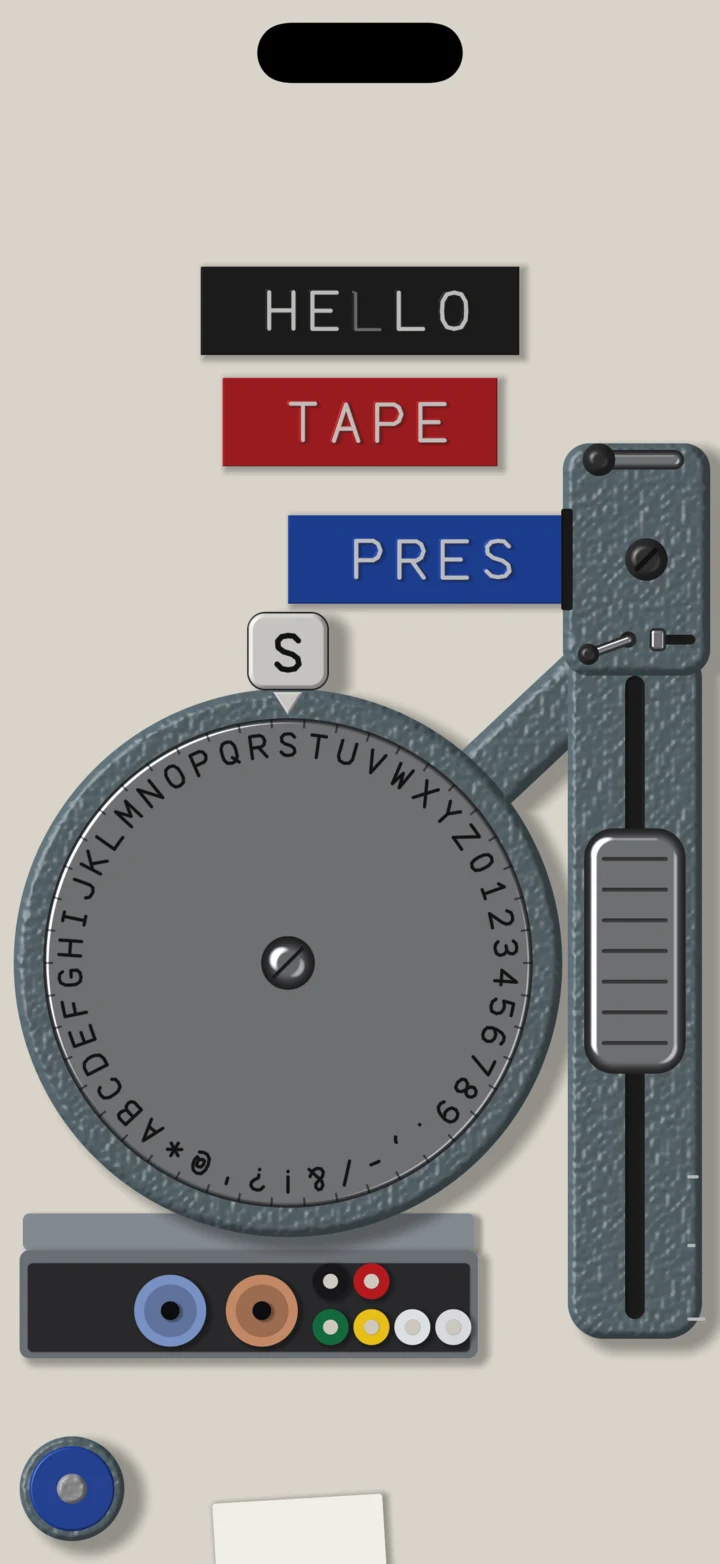
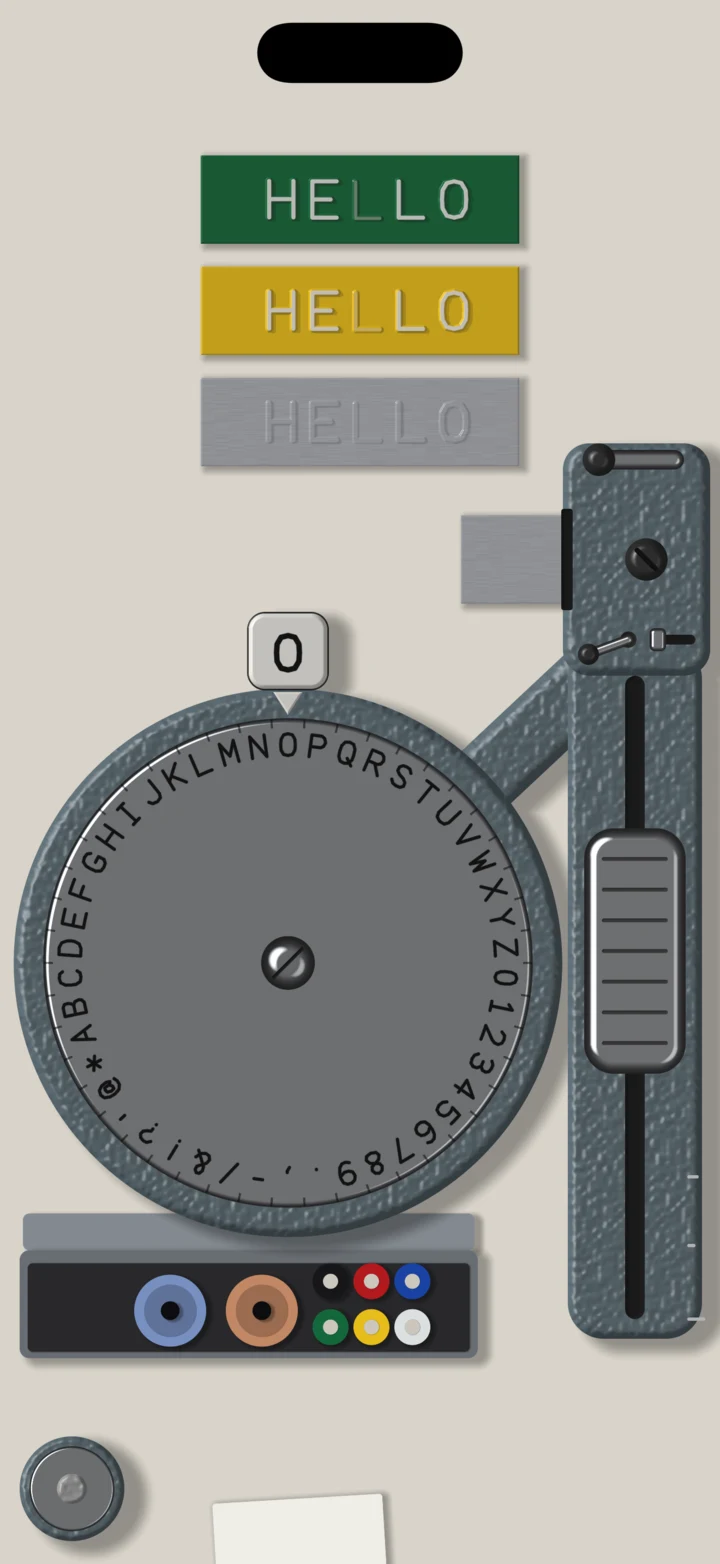
- Tape
- 9 mm, 3 m a roll
- Wheels
- Capitals, braille, lowercase
- Rolls
- Seven
- Device
- iPhone · iOS 18
The box
One machine, free. The full box, once.
The machine is complete and free: its capitals wheel (A–Z, 0–9 and ten signs), black, red and blue tape, the back-feed lever, the margin guide, the cutter, photos, stickers and links, with no watermark.
Under the dial is a tin box. What is not yet yours lies in it under shrink film with a price tag: a braille wheel, a lowercase wheel with ä ö ü ß é ç ñ and more, and green, yellow, clear and aluminium tape. Tap the tag to buy the Full Box once, US$4.99, with Family Sharing; the film tears off and they come out. To change a wheel, drag one from the box onto the dial; to change the tape, tap a roll. Aluminium wants the screw on the head turned in first.
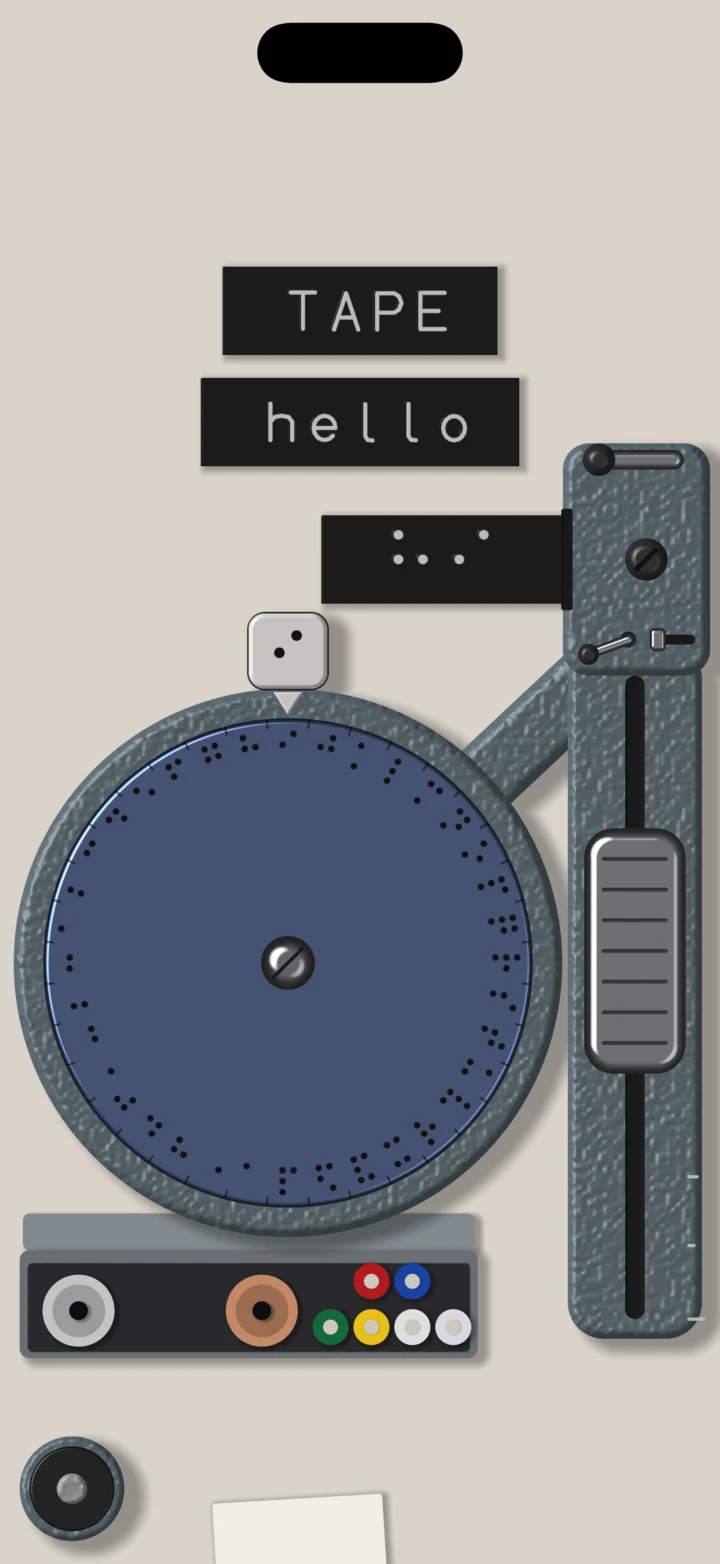
Three wheelsCapitals; braille; lowercase with the accents of half of Europe.
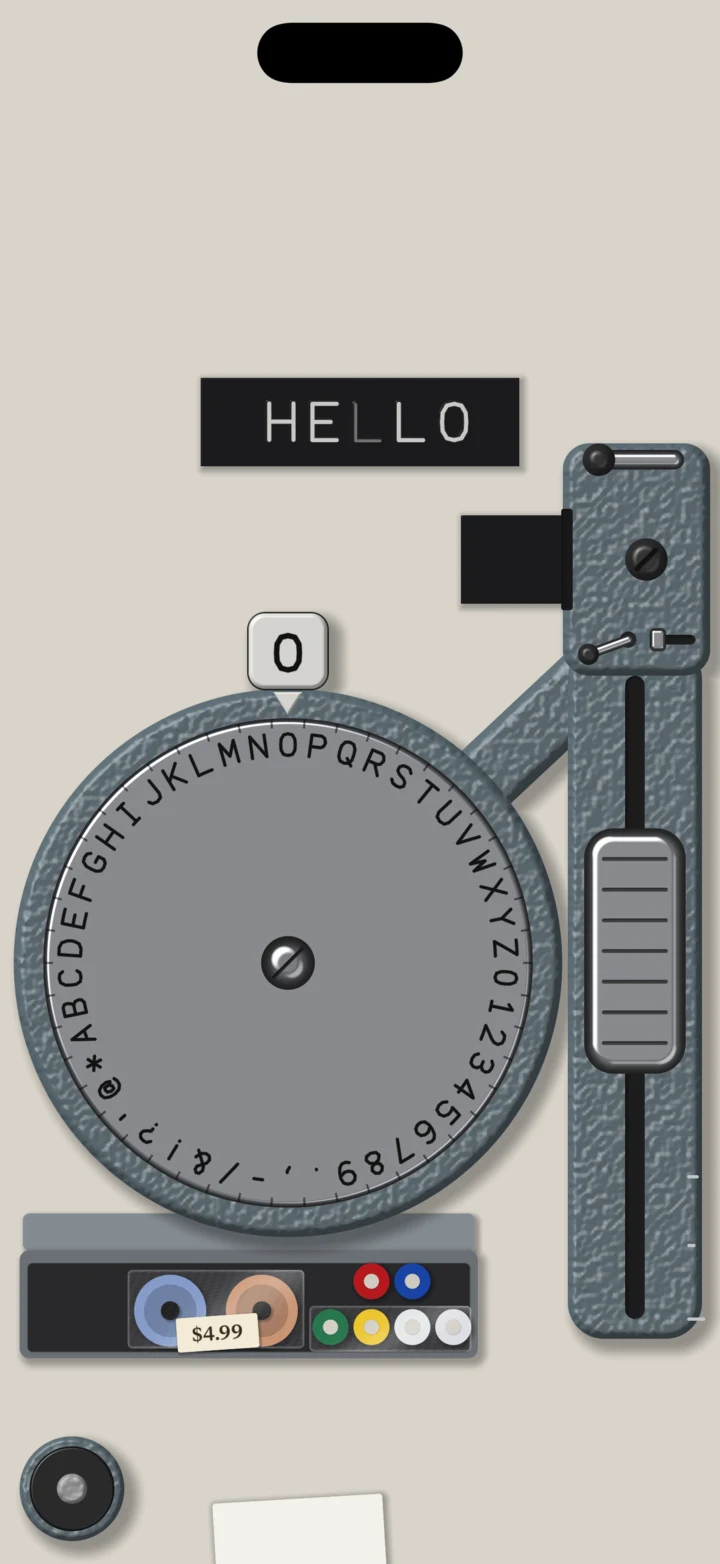
Under filmWhat is not yet yours, in the box, with its price on it.
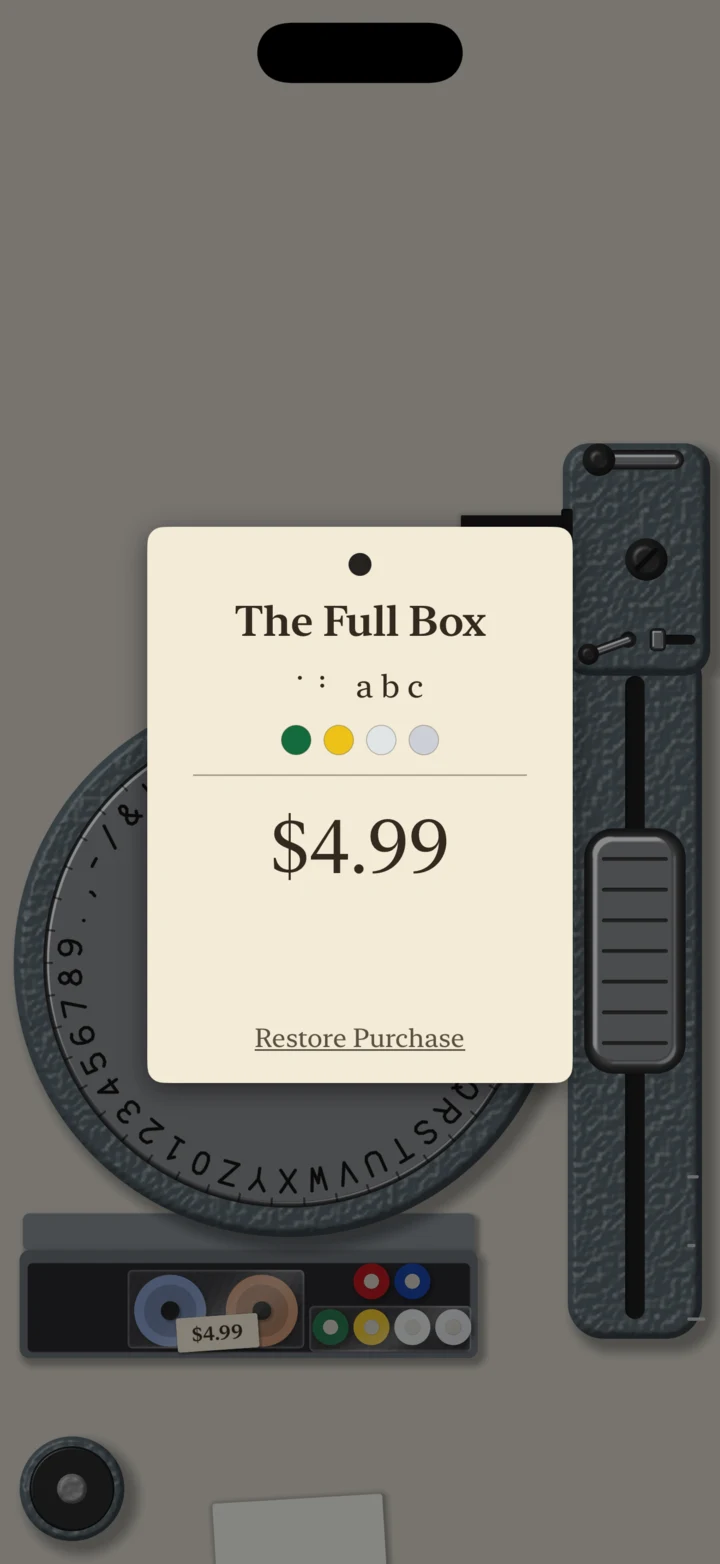
The tag, held upTap the price to buy; restore from the same tag.
Peel it, stick it, send it
A strip leaves the machine.
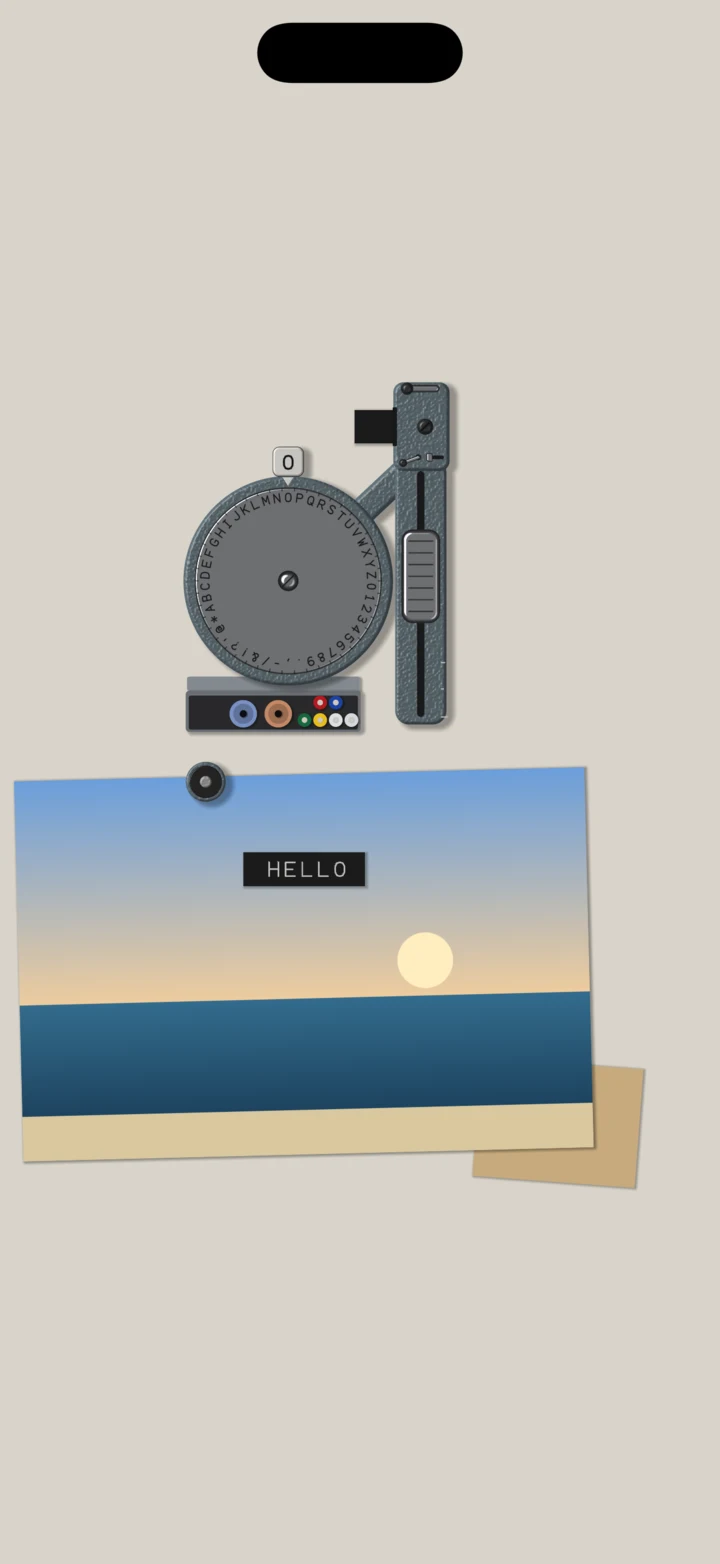
A strip you cut falls into the tray. Hold a finger on it to pick it up and put it on the desk; pull the little tab the cutter left to peel back its liner, and press it down. On the desk lies a sheet of photo paper: tap it to choose one of your photos, press strips onto it, and save the photo from the envelope behind it.
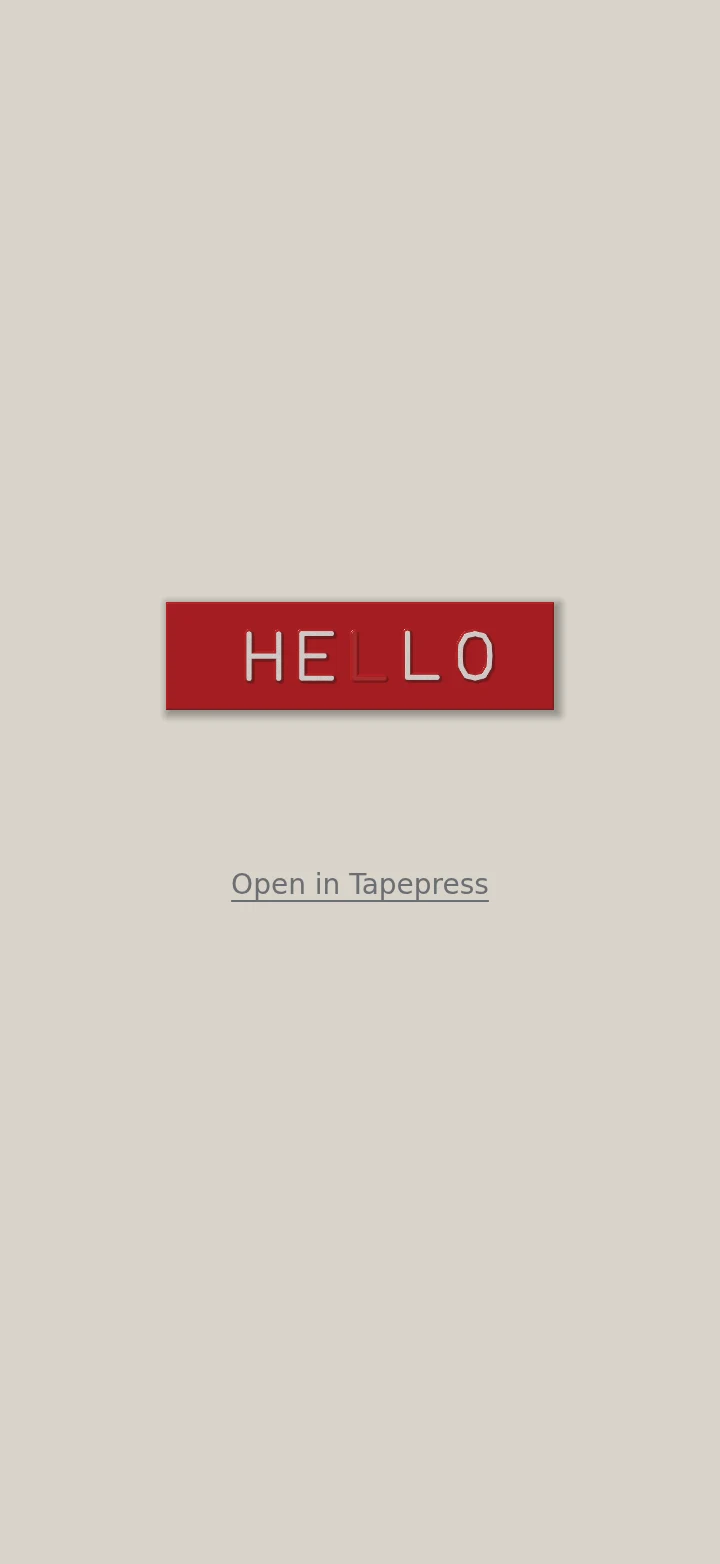
Hold a strip on the desk to share it: as a transparent sticker, or as a link. The link opens in any browser, on this site, with every letter as deep and as white as you pressed it, because what travels is the presses themselves, not a picture of them. With Tapepress installed, it opens in the app and lands on the desk.
The whole strip is written after the # in the link, and a browser does not send that part to any server. There is no server of ours in between.
Notes
FAQ
For support, email
contact@rubycat.coThe app has no accounts, ads, analytics or tracking, has no server, and cannot read your photo library.
Read the privacy policy- Can I take a letter back?
- No, as on the real machine. Cut the strip off and start again, or push the back-feed lever to step the tape back and press another letter over it; both stay on the tape.
- Does it need access to my photos?
- No. A photo is chosen in iOS’s own picker, and the app receives only the one you pick. When you first save, iOS asks whether Tapepress may add to your library; that never lets it read what is there.
- What does someone see when I send a link?
- The strip itself, drawn in their browser, every letter as you pressed it. If they have Tapepress, it opens in the app. Strips on the Full Box’s wheels and rolls open for everyone, bought or not.
- Where are my strips kept?
- On your phone: the strips in the tray and the one in the machine are there the next time you open it. What lies on the desk, and the photo, are put away when the app closes. Nothing is synced anywhere.
- Can it press Chinese or Japanese?
- No. A wheel of thousands of characters would not fit on a machine you can hold. 1.0 has capitals, braille and lowercase.
- Does it sound with the silent switch on?
- No. Tapepress keeps to the silent switch, and your hand still feels each click.
- Is there an iPad version?
- Not in 1.0. Tapepress is built for iPhone, held upright, with the handle under the right thumb.
- Is it on the App Store in mainland China?
- No. Tapepress is on the App Store in other countries and regions.